Built for Facility Security Officers
Verifyfed is designed around the FSO's operational reality — manual verification backlogs, DCSA audit preparation pressure, and the ongoing challenge of maintaining NISPOM-compliant records across an active cleared workforce.
What FSOs deal with every week.
Manual Verification Queue
New contractor enrollments, clearance transitions, and periodic re-verifications pile up. Each requires FSO time to collect, verify, and document — time that competes with every other security program obligation.
Insider Risk Visibility Gaps
EO 13587 and NISPOM Chapter 1 require an active Insider Threat Program. But without automated monitoring between annual re-investigations, you're relying on supervisor reports and self-reporting — the least reliable signals.
DCSA Audit Documentation
When DCSA calls a facility clearance audit, the documentation preparation process begins: pulling files, reconstructing timelines, confirming records completeness. Days of manual work that could have been built in from day one.
Re-investigation Tracking
Tracking clearance re-investigation timelines, managing notification requirements, and following up on flag events requires active calendar management. Missed re-investigation deadlines create program security exposure.
Personnel Security File Maintenance
Complete, current personnel security files for every cleared individual — across all contract assignments — maintained in a format that satisfies DCSA requirements. For active programs, this is a continuous operational obligation.
Subcontractor Oversight
FSOs at prime contractors are accountable for the security posture of subcontractor cleared personnel. Getting visibility into sub-tier identity verification status requires active coordination with each sub's security officer.
The FSO Console
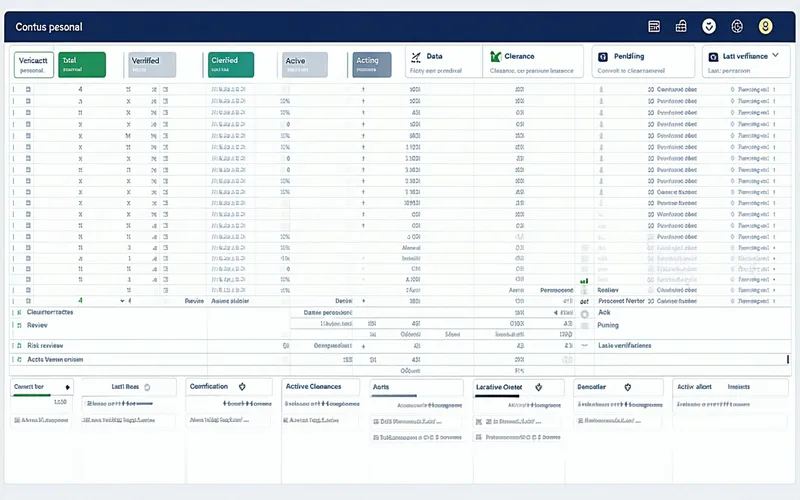
Verifyfed's FSO console is designed for security officers who need operational clarity, not dashboard aesthetics. Every data point in the console answers a question you're accountable for.
- Active personnel list — all cleared personnel with current verification status at a glance
- Clearance status indicators — active, expired, pending re-investigation, flagged
- Pending verification queue — new enrollments, transition events, and re-verification triggers requiring FSO action
- Risk signal alerts — access anomalies and authentication events flagged for review
- One-click DCSA audit export — complete documentation package without manual file compilation
Audit Trail Built for Inspection Readiness
DCSA facility inspection documentation requirements are well-documented. Verifyfed's audit trail is designed to produce the records DCSA reviewers request most frequently — automatically, not reactively.
DCSA Facility Inspection Package
Personnel security records, identity verification events, clearance status history, and access documentation — formatted for DCSA review requirements. Generated on demand rather than assembled under time pressure.
DSS Records Format
Records formatted to meet Defense Security Service documentation standards, including personnel security file completeness requirements and inspection readiness criteria.
Immutable Timestamped Log
Every identity event logged with precise timestamp, actor, action, and outcome. Records cannot be modified after creation. Provides defensible documentation for any DCSA documentation challenge.
Re-investigation Timeline Records
Complete documentation of clearance re-investigation triggers, notification events, and timeline milestones — the records that demonstrate active management of your continuous evaluation obligations.
Access Transition Records
Identity verification events at every access transition — contract assignments, facility access changes, access level modifications — documented with supporting verification evidence.
InTP Identity Layer Records
Identity-verified personnel records that your Insider Threat Program requires as its foundational layer. Documentation that connects your InTP to the verified identity of each monitored individual.
Your DCSA audit should not start with four days of file-pulling.
Schedule a security briefing to discuss FSO operational requirements, inspection readiness documentation, and how Verifyfed integrates with your existing security program.
Schedule a Security Briefing